How to Embed a BeeForm on Your Website
What Embedding Does
Embedding shows your BeeForm inside a page on your own website, so visitors fill it in without leaving your site. You paste a short piece of code once. After that, every change you publish in BeeForm shows up on your page automatically, so there is nothing to update.
The embedded form is only the form. It has no BeeForm header, menu or footer around it, and it uses the design of the form you built, including your theme, logo and colors. It works for BeeForm forms and for Google Forms you have linked to BeeForm, on every plan.
Before You Start
- Publish the form. An embed shows the published form. A form that is not published shows a "page not found" message instead.
- Know where you can paste HTML. Most website builders have an "HTML", "Embed" or "Custom code" block. WordPress, Wix, Squarespace, Webflow and Shopify all do.
Get Your Embed Code
- Open the form in BeeForm and click Publish. If it is already published, click Published.
- In the Your form is live window, click Other options.
- Leave Show the form on On the page.
- Click Copy embed code.

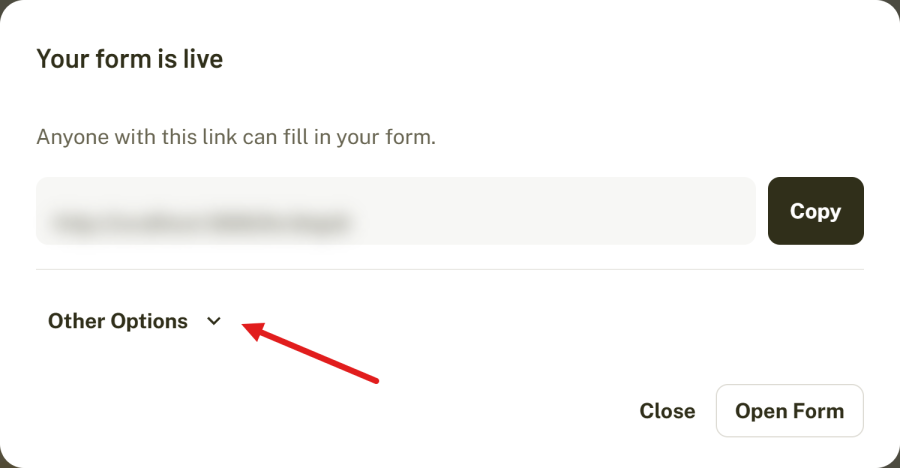
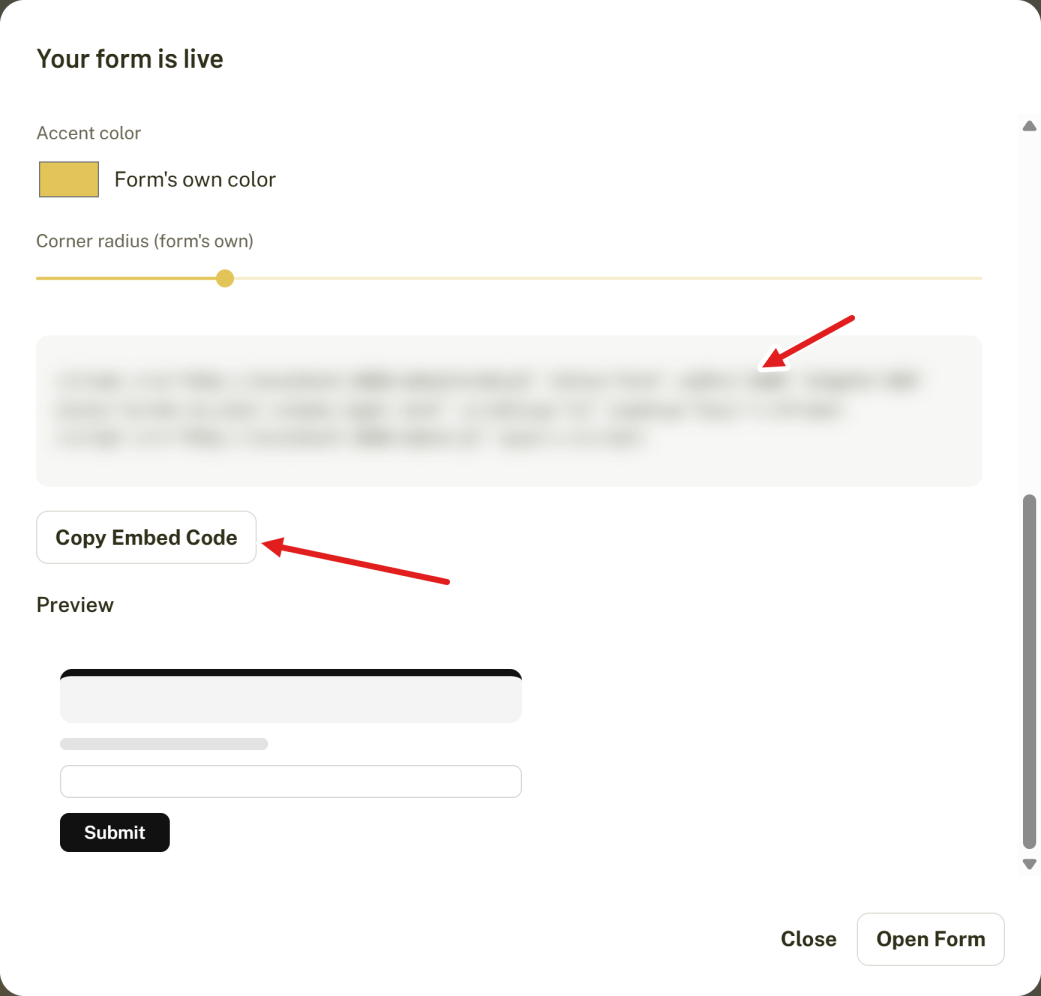
Here is what the code looks like. YOUR-LINK-ID is the last part of your form's share link, so for https://beeform.co/gwv8r9f it is gwv8r9f.
<iframe src="https://beeform.co/embed/YOUR-LINK-ID" title="Form" width="100%" height="600" style="border:0;color-scheme:light dark" scrolling="no" loading="lazy"></iframe>
<script src="https://beeform.co/embed.js" async></script>
The code has two parts:
- The iframe is the window that shows your form. Its
heightis only the starting size. - The script is a small helper from BeeForm. It listens for the form's real height and resizes the iframe to match, so the form never shows an inner scrollbar, even when it grows on the next step or after an error message.
Paste It Into Your Page
Paste both lines, together, where you want the form to appear.
| Website builder | Where to paste |
|---|---|
| WordPress | Add a Custom HTML block, then paste the code. |
| Wix | Add Embed code, choose Embed HTML and paste the code. |
| Squarespace | Add a Code block and paste the code. Turn off Display Source. |
| Webflow | Add an Embed element and paste the code. |
| Plain HTML | Paste it into your page's HTML where the form should go. |
Save or publish the page, then open it in a private window to see the form the way visitors do.
How the Form Fits Your Page
- Width. The iframe is
width="100%", so it fills the space of the block it sits in. Put it inside a narrower container if you want a narrower form. - Height. The helper script sets the height for you. If you remove the script, the iframe stays at the number in
height. - Several forms. You can embed more than one form on a page. You only need the script once.
What Visitors Can Do
Visitors fill in and submit the form exactly as they do on your normal form link. Responses arrive in BeeForm like any other, and the form's views, starts and submissions are counted in its analytics. Response limits, closing dates and the closed message work the same way, so a form that has closed shows its closed message inside your page.
Only the Embed Address Can Be Framed
For safety, BeeForm only lets other websites show the special embed address (/embed/...) inside a frame. Your normal form link, your dashboard and the rest of beeform.co cannot be framed by other sites. If you put your normal form link in an iframe it will not load, so always use the code from the Your form is live window.
Tips and Best Practices
- Give the form its own section of the page with some space around it so it does not feel cramped.
- Match the look to your site with a frame, accent color and corner radius. See How to Customize an Embedded Form.
- Prefer a button over a long form on the page? See How to Add a Popup Button for Your Form.
Common Pitfalls to Avoid
- Paste the script line as well as the iframe. Without it the form does not resize.
- Publish the form first. An unpublished form cannot be shown.
- Some website builders remove script tags. See Embedded Form Troubleshooting if the form has a scrollbar or the wrong height.