How to Choose a Plan and Manage Billing
Compare the Plans
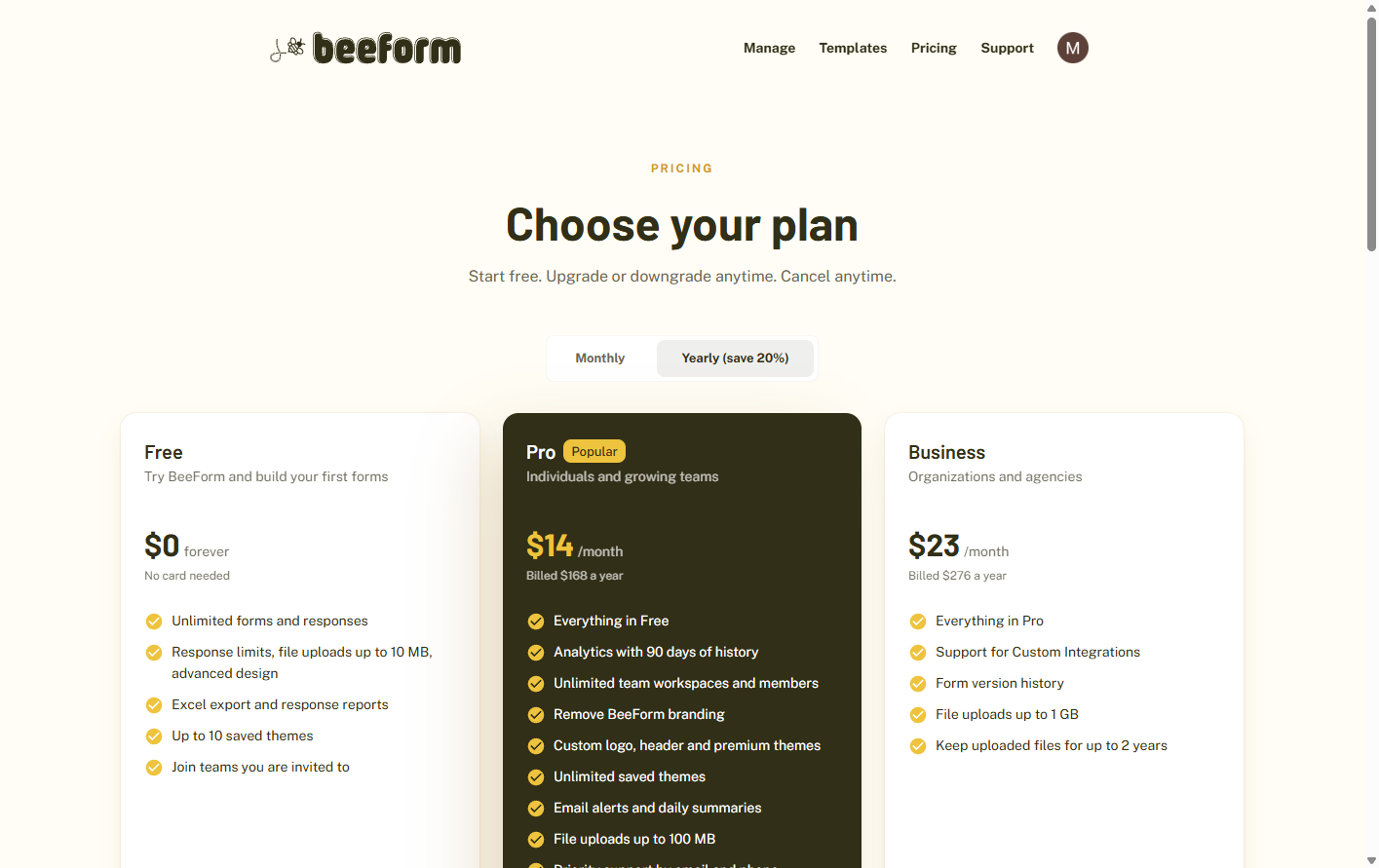
Open the Pricing page. Free includes unlimited forms and responses, response limits, file uploads and Excel export. Pro adds analytics, team workspaces, removing BeeForm branding, a custom logo and header, premium themes, unlimited saved themes, email alerts and larger uploads. Business adds form version history, very large uploads and the longest file retention. Switch between Monthly and Yearly billing, where yearly saves about 20%.
Upgrade
Click the button on the plan you want. You are taken to Account, where you choose monthly or yearly billing and finish checkout on a secure payment page. Your plan switches on as soon as the payment is confirmed.
Open Plan and Billing
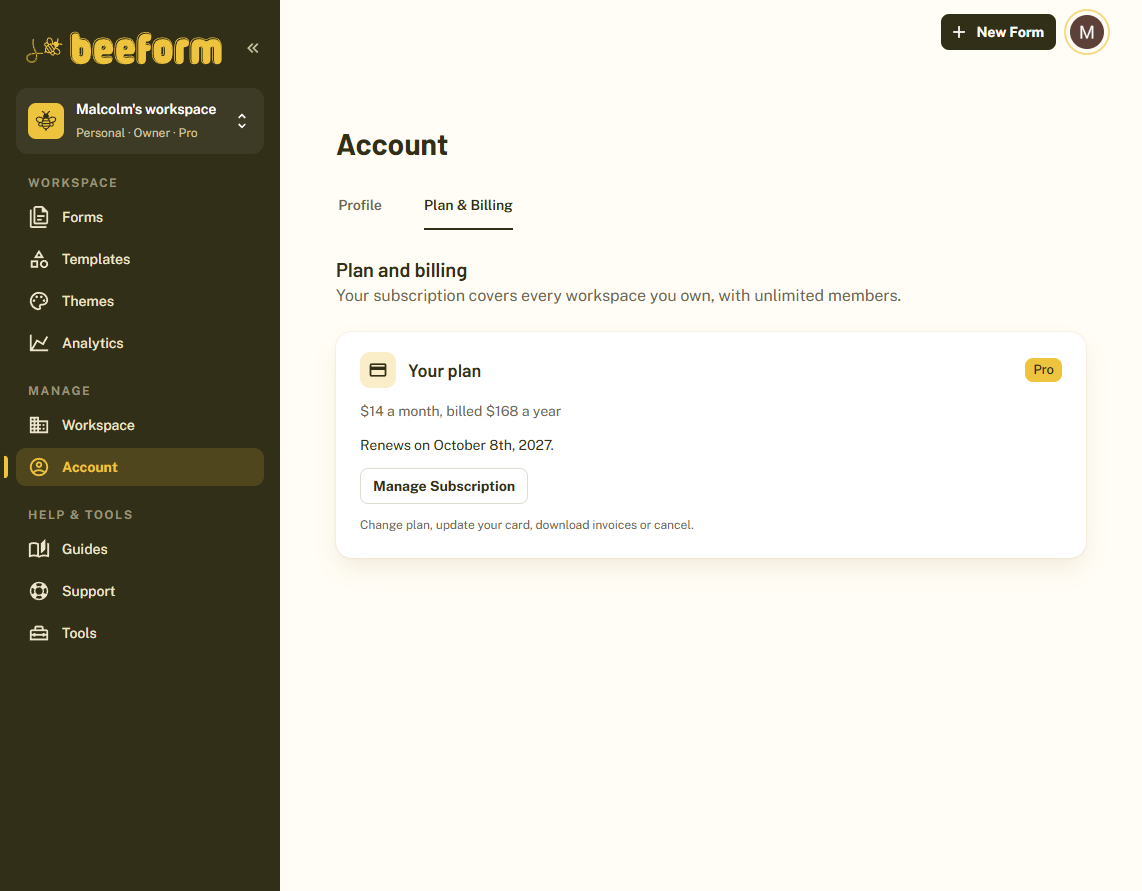
Click Account in the sidebar and open the Plan & billing tab. It shows Your plan, its price, and when it renews or ends.
Manage Your Subscription
Click Manage subscription to change plan, update your card, download invoices or cancel. If you cancel, you keep your plan until the end of the period you paid for.
Understand What a Plan Covers
Your subscription covers every workspace you own, with unlimited members. A team workspace uses the better of its own plan and the plan of its owner.
Tips and Best Practices
- Choose yearly billing if you know you will keep your plan. It is cheaper than paying monthly.
- Start on Free. You can upgrade at any time when you need analytics, alerts or team workspaces.
Common Pitfalls to Avoid
- If a payment fails, update your card in Manage subscription to keep your plan.
- Only the person who owns the subscription can change it. Team members see which plan covers the workspace.